How to Build a Revision System That Actually Lasts
A practical framework for turning a crowded syllabus into calm, repeatable weekly progress that compounds over…
Every online student has felt it: the uneasy sense that the LMS knows more about your study habits than your professor lets on. The feeling is accurate.
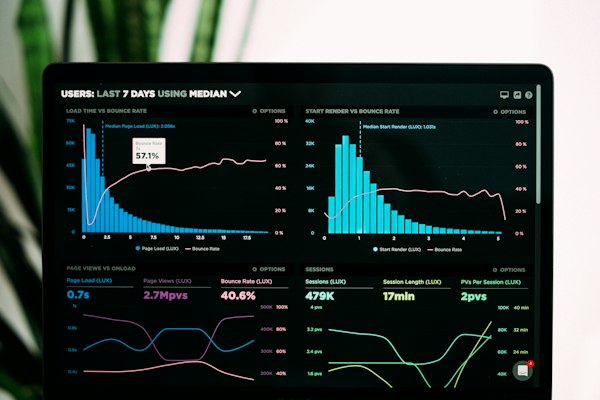
Every online student has felt it: the uneasy sense that the LMS knows more about your study habits than your professor lets on. The feeling is accurate. Modern learning-management systems — Canvas, Blackboard, Moodle, and their peers — continuously record a rich stream of activity data: logins, page views, time in course, file accesses, quiz behavior, and submission patterns. The question is not whether they track, but what the data actually shows, who can see it, and how it's used — because the honest answers are more nuanced, and less sinister, than the rumor mill suggests. This guide separates documented fact from mythology, so you know exactly what your digital footprint looks like — and what it doesn't look like.
Key insight: Your LMS tracks more than submission times — login frequency, time on page, and discussion engagement all create a participation profile. Consistent activity signals engagement even when assignments are light.
Learning-Management Analytics: Canvas, Blackboard (Anthology), and Moodle all ship analytics modules designed for instructors and administrators: • Page views and participation: the LMS records how often each student visits course pages, which files they open, and the timestamps of every interaction. The Canvas activity log can show page views, logins, file access, quiz events, IP data, and submissions [Canvas Ninja](https://www.canvasninja.app/blog/canvas-activity-logs/). • Time in course: Blackboard's instructor analytics include a student's hours in course and change history on graded items — with per-student and per-course activity reports [Anthology Blackboard Help](https://help.anthology.com/blackboard/instructor/en/analytics/student-activity-details-for-courses.html). • Submission and quiz forensics: most platforms record when a quiz was started, how long it took, whether tabs lost focus (on proctored or lockdown browsers), and how many attempts preceded a submission. • Communication metadata: discussion-board participation, message volumes, and (on some platforms) read/unread status of announcements. The critical calibration: this is interaction data, not surveillance of your screen. The LMS knows you opened the reading; it does not (absent integrated proctoring) watch what you did while it was open. What Instructors Can See vs. What Admins Can See: The permissions matter and they're tiered: • Instructors typically see course-scoped analytics: their own course's participation reports, per-student activity summaries, and grading analytics. The Coursicle analysis of Canvas, for instance, notes that students can even view much of their own activity data through the platform's student-facing analytics [Coursicle](https://www.coursicle.com/blog/does-canvas-track-you/). • Administrators and IT operate at the institution level: they can see metadata across the platform — login IPs, device types, session logs, and integration activity — and they are the ones who configure retention, privacy, and which analytics modules instructors get. • Instructor access to raw logs is typically limited by institution policy — a professor cannot casually pull another professor's course data, and many institutions restrict even course-level log access to specific situations (academic-integrity reviews, student-support outreach).
Institutions use activity data for three defensible purposes: 1. Early-alert and student support: falling participation is a documented predictor of course failure. Many schools run early-alert systems that flag students whose activity collapses, triggering outreach from advisors — the "we noticed you haven't logged in" email is usually care automation, not monitoring. 2. Academic-integrity review: when a submission is flagged, instructors can reconstruct its history — login times, quiz durations, IP patterns — as evidence in a review process. (Flagged means flagged: this is triggered by suspicion, not a general dragnet.) 3. Course design and evaluation: aggregated analytics tell instructors which materials students actually open, where cohorts stall, and which assignments correlate with success — in anonymized, course-level form. And the myth: "the LMS watches my screen and reports everything to my professor in real time." Unless your course integrates an explicit proctoring or lockdown tool (which institutions normally notify you about, often with a visible browser extension and a testing policy you acknowledge), the LMS tracks interactions with the platform, not your whole computer. The boundary line is exact: platform analytics = participation data; proctoring software = the monitoring layer, and it's a separate, disclosed system.
The practical implications are almost anticlimactically commonsense: • Consistency is the visible metric. Distributed login patterns and steady participation read as engaged; a flatline that explodes on deadline night reads differently. The data rewards students who build routine study blocks — which is good advice regardless of the tracking. • Official channels leave the visible trail. If a question is time-sensitive, route it through the platform's official channels (discussion boards, inbox) where responses are documented — and where your engagement is visible to your own benefit. • The "I was there but invisible" pattern doesn't exist. If participation metrics are part of a participation grade, doing all work offline and never opening the LMS will be visible — and it will look exactly like absence. Check the syllabus for participation criteria and let your activity pattern match them. • Privacy is an institutional configuration, not a platform default. Data-retention windows, instructor access levels, and analytics visibility are set by each institution's administrators and governed by its policies (and by student-privacy laws where applicable). When in doubt, the authoritative answer lives in your school's LMS policy page or IT documentation — not in forum speculation.
Two questions come up constantly, and both deserve straight answers: Does the LMS' activity tracking violate my privacy? Interaction data within an educational platform is standard practice and generally within the institution's purview — the school operates the system you're required to use, and its policies govern the data. What would be a problem — behavioral surveillance beyond the platform, or undisclosed monitoring — is precisely the thing institutions disclose in their LMS policies. Read yours once; the surprise-free version of privacy is informed consent. Should I try to hide my activity pattern? Attempting to game or spoof activity data (idle-refresh scripts, fake sessions) is counterproductive on every axis: it's usually detectable in the data's own patterns, it contradicts the honest-participation norms that participation grades assume, and it converts a support system into an adversarial one. The data exists to help you — flagging students who are genuinely falling behind. Be a student whose pattern is visible because they're actually present.
Canvas, Blackboard, and Moodle record a real, documented stream of participation data — logins, page views, time in course, quiz behavior — visible to instructors at course level and administrators at platform level, and used for support outreach, integrity review, and course improvement. They do not, by themselves, watch your screen; that's the separate, disclosed province of proctoring software. The rational response is not evasion but alignment: build consistent study routines, route your engagement through official channels, match your participation to your syllabus's criteria, and read your institution's LMS policy once so the footprint never surprises you. Take ten minutes this week to open your own LMS analytics view — most platforms let students see their own activity summaries [Coursicle](https://www.coursicle.com/blog/does-canvas-track-you/). Look at your pattern through your professor's eyes: if it reads as engaged, you're doing distance learning correctly; if it reads as absent, you've just found the study-habit fix before any early-alert email finds you.
Practical, research-informed guidance from our specialist team — for every stage of your academic journey.

A practical framework for turning a crowded syllabus into calm, repeatable weekly progress that compounds over…

Learn the difference between reporting sources and creating a persuasive academic line of reasoning your exami…

What to revise, what to leave alone, and how to protect your focus when it matters most on exam day.…
Tell us what exam you're preparing for. We'll build a personalised path to passing.