How to Build a Revision System That Actually Lasts
A practical framework for turning a crowded syllabus into calm, repeatable weekly progress that compounds over…
You're thirty minutes into an online midterm when a prompt appears: "Please slowly pan your webcam around the room.
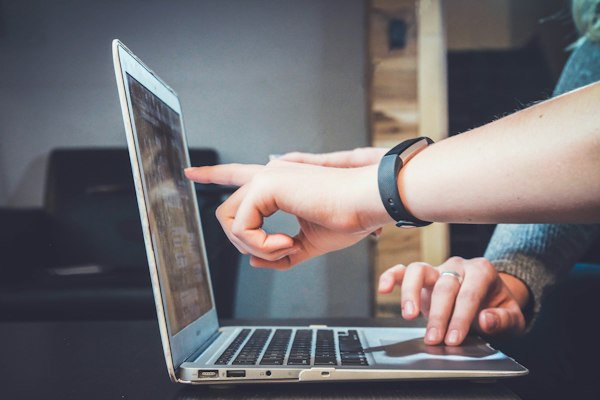
You're thirty minutes into an online midterm when a prompt appears: "Please slowly pan your webcam around the room." Before you comply, your mind races: Can they really see all of this? Is a human watching right now? What exactly do they record — and for how long? These are fair questions, and millions of students ask them every semester. The honest answer is layered: yes, room scans and automated monitoring are standard features of most commercial remote-proctoring platforms, but what happens with that data is governed by a combination of documented platform features, your institution's policies, and (in some jurisdictions) state privacy law. This article decodes the technology so you know exactly what is happening — and what your options are.
Key insight: Online proctoring tools monitor your testing environment, but understanding what they can and cannot detect helps you prepare your space and reduce unnecessary anxiety on exam day.
Most colleges subscribe to one of a handful of commercial services — Honorlock, Proctorio, ProctorU, Respondus LockDown Browser and Monitor, or Examity — or to a homegrown monitoring setup. The features these platforms share are worth understanding as a baseline: • Room scans: before the exam, you are directed to sweep your webcam across your workspace to show your desk, walls, and surroundings. Honorlock, for example, describes the webcam scan as a check for "unauthorized resources," with room-scan video access limited to the proctor or exam administrator rather than the whole proctoring staff [Honorlock](https://honorlock.com/why-honorlock/). Similar scan features exist across the major platforms. • Video and audio capture: the webcam records your face and the microphone records ambient audio for the duration of the test. • Screen recording: the platform captures your screen activity — browser navigation, open tabs, and sometimes keystroke patterns. • AI flagging: algorithms watch for suspicious behaviors: your gaze leaving the screen for long stretches, another face appearing, unusual noise, or the screen losing focus repeatedly. • Human review: flagged moments are typically reviewed by a human proctor, either live or after the fact. Not every test has a live proctor watching in real time — many are reviewed after submission. So: can they scan your room mid-test? Technically the scan usually happens during the environment check before the exam begins, but some proctoring setups can re-trigger environmental checks, and the webcam feed itself can run for the full session. Mid-test room re-scans are less common, but the camera staying on is the norm.
The most common student misconception is that a human is staring at your face minute by minute. In practice: • AI does the watching; humans do the judging. The algorithm generates a timeline of flags (e.g., "gaze outside screen 3.2 seconds, 14:05:01"). A human proctor reviews the flagged clips — and in many programs, only the flagged clips — either live or in a later review session. • Fewer flags means less human attention. A student who keeps their eyes on the monitor, stays quiet, and has a clean workspace produces a boring, flag-free timeline and typically receives minimal human scrutiny. • The reverse is also true. A student who triggers dozens of flags will have a proctor watch their session in detail. The technology effectively triages attention. The practical takeaway is almost anticlimactic: the best way to minimize surveillance is to behave in ways that don't generate flags — a clean desk, a quiet room, and a stationary gaze. That's not evasion; it's simply how the system's attention economy works.
It is reasonable to care about where your face and room end up. The data lifecycle under a typical institutional setup runs like this: • Who can view it: access to recordings is generally restricted to the proctoring vendor's staff and the institution's exam administrators — not the whole faculty, and not other students. Honorlock, for instance, states that room-scan access is limited to the proctor or exam administrator [Honorlock](https://honorlock.com/blog/test-room-scans-best-practices/). • Where it's stored: recordings live on vendor infrastructure configured for the institution, usually encrypted at rest and in transit. University IT offices typically publish data-handling agreements with proctoring vendors. • How long it's kept: most institutions retain recordings only for the term or the exam cycle — commonly 12 months or less — and then delete them. Your school's student-data policy (often linked from your LMS or the testing office's page) is the authoritative source for exact retention windows. • Legal framework: in the U.S., student education records are protected under FERPA, and some states add biometric privacy protections that can apply to facial or voice data collected by proctoring software. Institutions are generally required to disclose what they collect; many publish a proctoring FAQ describing exactly these details. A few universities have faced student pushback — ranging from complaints to legal challenges — over proctoring's invasiveness, and in response several have narrowed their default settings (e.g., disabling continuous audio recording, or switching to human-proctored rooms instead of scans). The landscape is still settling, so the single most accurate source of "what happens to my data" is always your own institution's testing office, not a forum thread.
If a room scan or monitoring setup genuinely bothers you, you usually have legitimate, concrete options — worth raising before exam day: 1. Ask your instructor or testing office for the proctoring FAQ and privacy disclosure. Every serious implementation has one. Read it; most anxiety dissolves once you see the actual retention and access rules. 2. Request an alternate environment or accommodation. Students with documented disabilities routinely receive modified proctoring arrangements (separate rooms, in-person testing centers, or scan-free settings) through the disability services office. This is a formal, protected route. 3. Use the institution's testing center. Many colleges run on-campus proctored rooms where the software-based room scan is replaced by a physical proctor. If remote monitoring is the sticking point, this sidesteps it completely. 4. Escalate in writing, professionally. If a policy genuinely violates your privacy expectations, put your concern in an email to the testing office and your dean of students — citing the specific feature you object to and proposing a specific alternative. Schools are far more responsive to constructive, specific requests than to general complaints. What you should never do is attempt to defeat or sidestep the proctoring software — no second monitors aimed away from the camera, no taped-over webcams mid-exam, no scripts that interfere with the lockdown browser. Beyond the obvious academic-integrity consequences, you would be violating your institution's testing policies, which is a far worse outcome than any scan.
There is a genuinely underrated upside to the room scan: it formalizes exam hygiene. Students who prepare their space deliberately tend to test better, because the environment stops being a variable. Build the standard checklist before any proctored exam: • A clear desk: only your computer, a transparent water bottle, and allowed items (scratch paper if permitted). • Walls free of notes; whiteboards erased or covered. • Bright, even lighting on your face — this also reduces false AI flags. • Quiet room, doors closed, phone in another room. • A stable wired or strong Wi-Fi connection, with your computer plugged in.
Yes — virtual proctoring can scan your room, watch your face via webcam, record your audio, and capture your screen; that is the documented behavior of major platforms. No — a human is not personally staring at every second of every session; AI flags the anomalies, and humans review the flags. Your privacy protections live in the institution's disclosure documents, FERPA-based practice, and — in some states — biometric privacy laws. If the technology crosses a line for you, the answer is a proactive, documented conversation with your testing office or disability services — never an attempt to work around the software. Before your next proctored exam, spend ten minutes reading your institution's proctoring FAQ, get copies of the privacy and retention specifics, and set up a clean, well-lit space. Then treat the proctor tech as what it is: a background process designed to keep the exam honest — not the exam itself.
Practical, research-informed guidance from our specialist team — for every stage of your academic journey.

A practical framework for turning a crowded syllabus into calm, repeatable weekly progress that compounds over…

Learn the difference between reporting sources and creating a persuasive academic line of reasoning your exami…

What to revise, what to leave alone, and how to protect your focus when it matters most on exam day.…
Tell us what exam you're preparing for. We'll build a personalised path to passing.